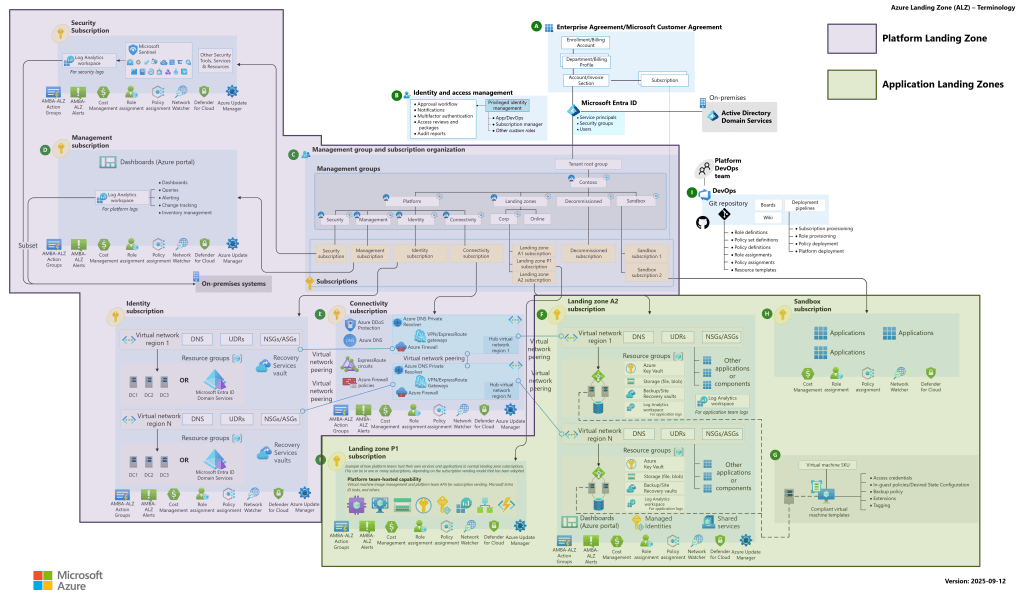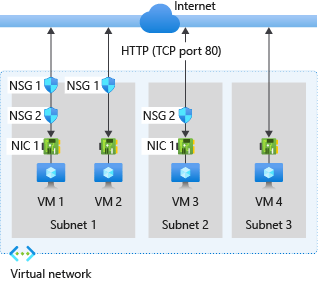
Most audit, design workshops, and architecture reviews have some version of the same moment. Someone points at a diagram, taps the App Service box, and says “that’s fine, it’s got VNet integration.”
The box gets a tick, the review moves on, and 6 months later a pen test (normally driven by a security incident that was only found when the performance of the App became seriously degraded) finds the same App Service answering requests on its public azurewebsites.net hostname from anywhere on the internet.
VNet integration and network isolation are not the same thing, and Azure’s naming does nothing to help tell them apart. VNet integration is about where your traffic can go. Private Endpoints are about who can reach you.
This post works through the confusion service by service, then covers the other part of the puzzle: once inbound and outbound are both locked down, the PaaS service still has to be told to route outbound traffic to a firewall or NVA that can actually see it.
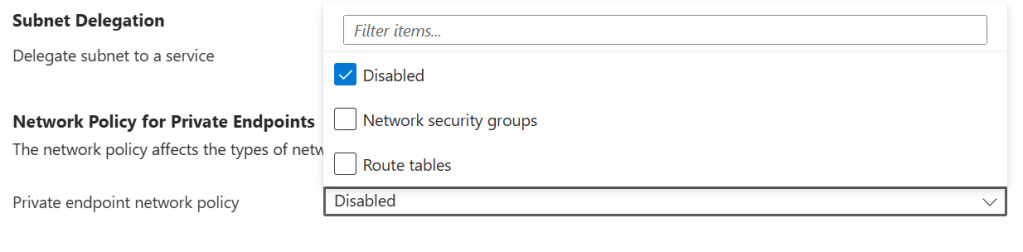
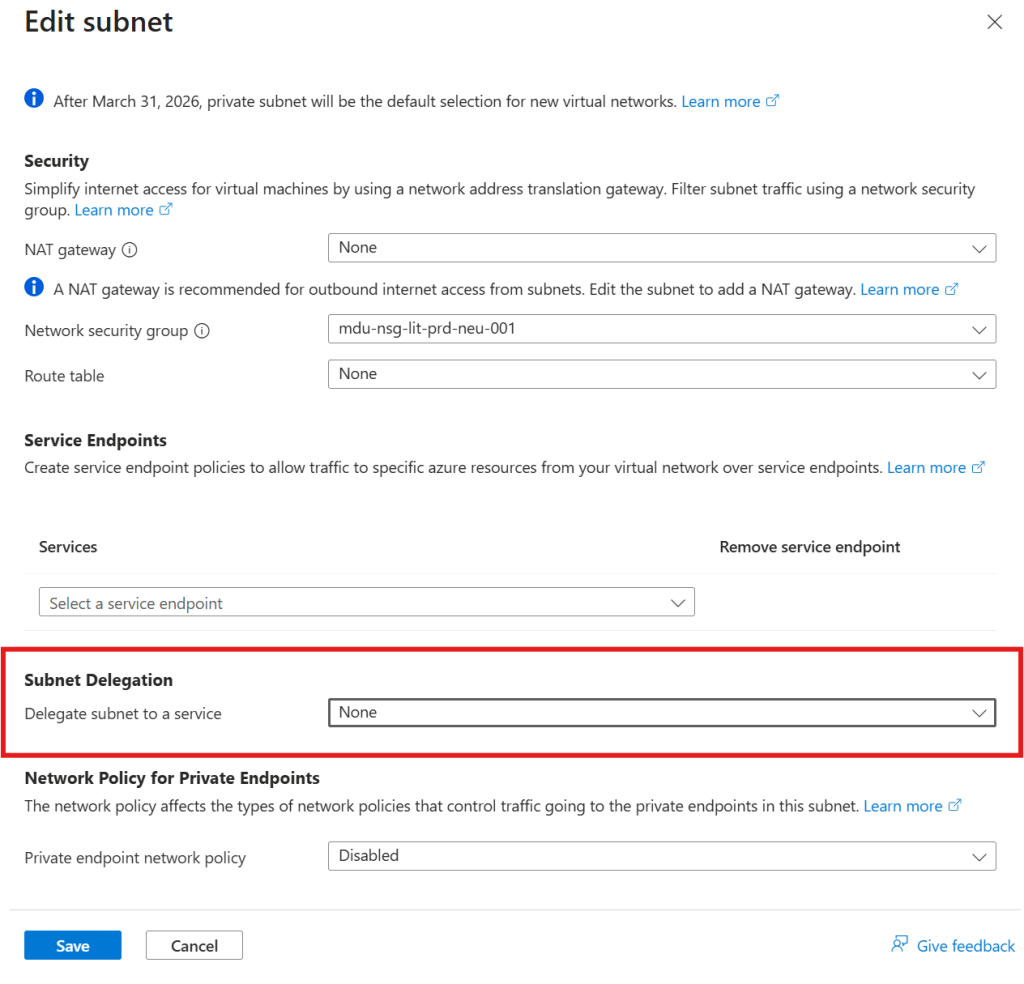
This post also briefly touches on Subnet Delegation but does not go into this in detail. If you want a deeper dive on that, check out my post on that topic here.
Two Doors
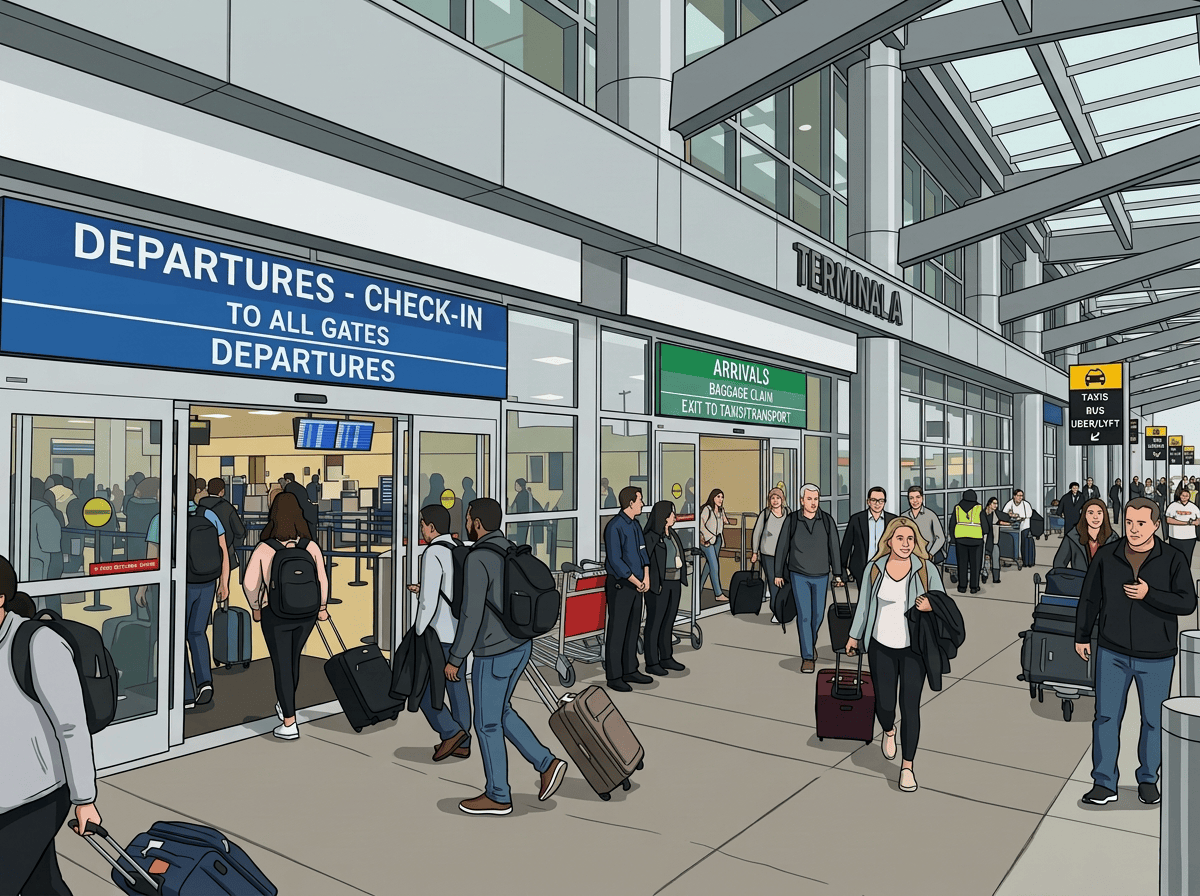
In an everyday real-world scenario, think of a PaaS resource as having two separate doors, similar to any airport you’ve ever had the pleasure of passing through. There is one door which everyone enters through (Departures because you need to get somewhere, and anyone can go through those doors until they need to show a boarding pass at security to prove they are allowed to board their flight), and a separate door which everyone exits through (Arrivals, from where you then set off to either remember where you’ve parked, or else head for the nearest taxi, bus or train).
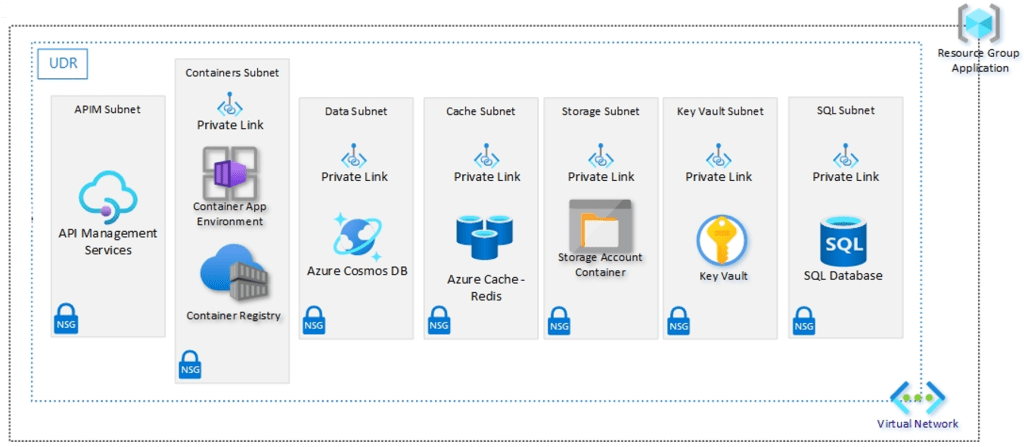
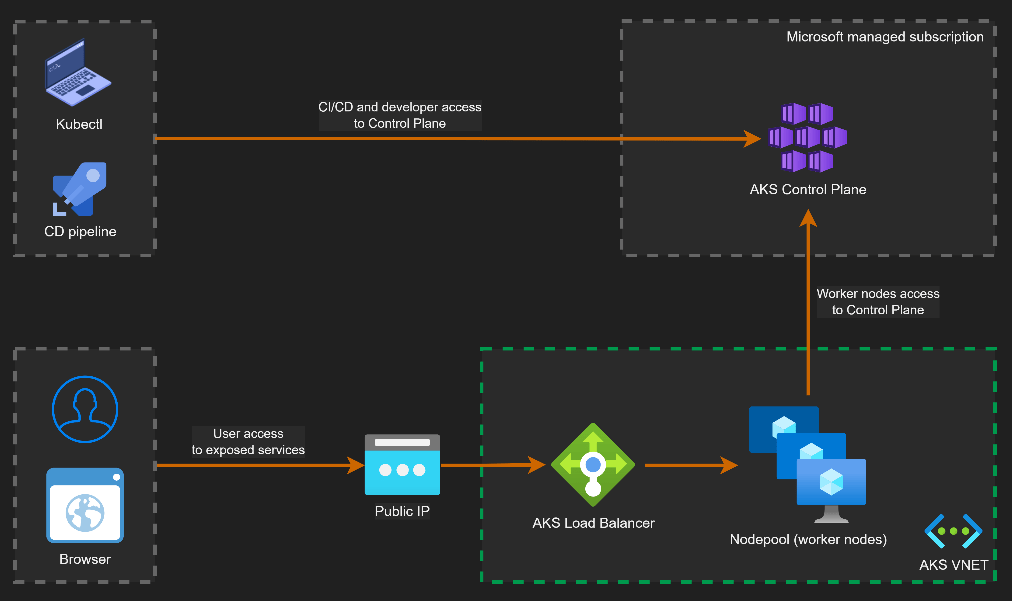
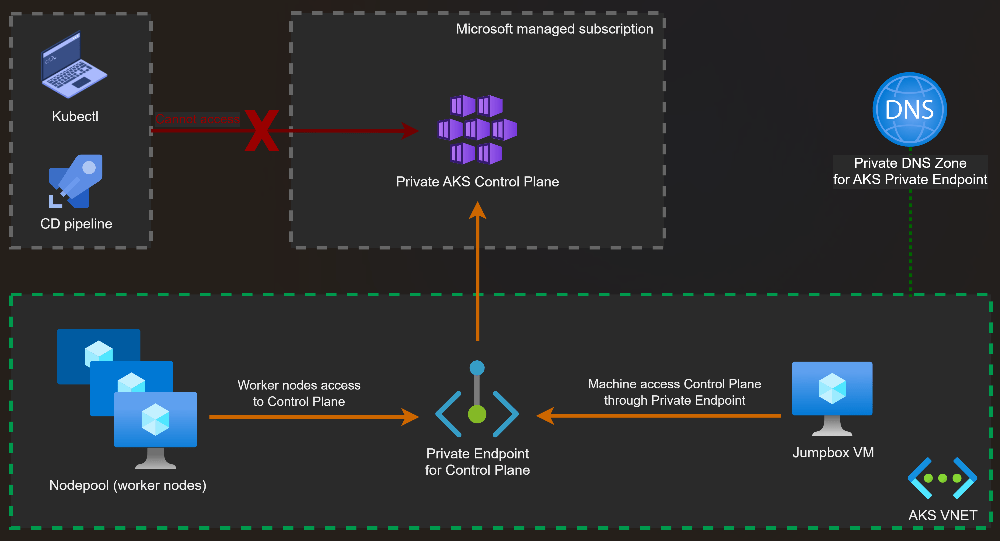
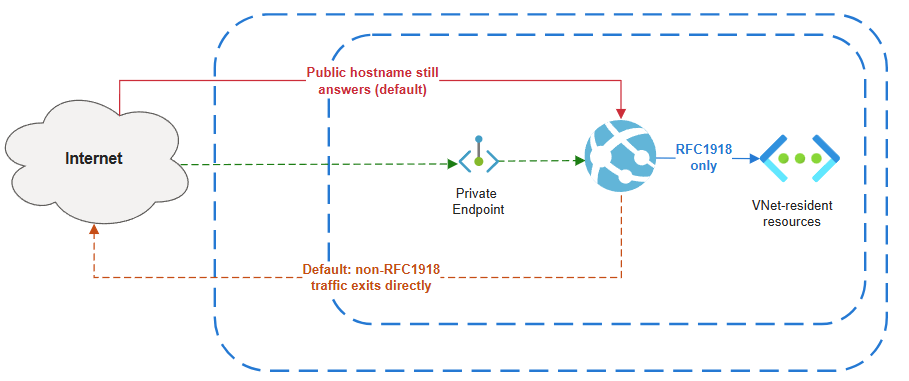
In PaaS, the inbound door controls who can call the resource, and by default it faces the internet through a shared, multi-tenant public endpoint. Locking it down means giving the resource a private IP inside your VNet and turning the public endpoint off, which on Azure is almost always done with a Private Endpoint backed by Azure Private Link.
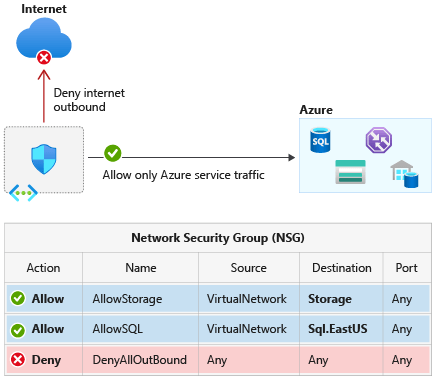
The outbound door controls where the resource’s own traffic goes when it calls something else: a database, a storage account, a downstream API. Regional VNet integration solves this one, giving the compute a presence inside a delegated subnet so its outbound calls can reach VNet-resident resources, respect NSGs and UDRs, and use custom DNS.
VNet integration only opens the outbound door. Microsoft’s own documentation for App Service is blunt about it: virtual network integration “gives your app access to resources in your virtual network, but it doesn’t grant inbound private access to your app,” and is “used only to make outbound calls from your app into your virtual network.”
Enable VNet integration on an App Service, an API Management instance, or a Logic App, and its public inbound endpoint keeps answering exactly as it did before. Locking down the inbound side is a separate, additional piece of configuration, and for most PaaS services that means Private Endpoints.
App Service and Functions
Let’s start with App Service and Functions (on Premium or Elastic Premium plans) as they share the same regional VNet integration model, so the same rules apply to both along with some additional granular controls.
Turning on VNet Integration gets the app talking to VNet-resident resources, peered VNets, and anything reachable over service or private endpoints.
This does nothing for inbound traffic though. An App Service with VNet integration switched on is still fully reachable at its public hostname unless a Private Endpoint is added separately and, usually, public network access disabled on the app itself.
There’s a second surprise on the outbound side that catches even people who know about the inbound gap. By default, regional VNet integration only routes RFC1918 traffic (10.0.0.0/8, 172.16.0.0/12, 192.168.0.0/16) through the VNet. Everything else, including calls to the public internet, still leaves the platform directly. Routing all outbound traffic through the VNet, so it can be inspected by a firewall, filtered by NSGs, or forced through a NAT gateway, has to be explicitly turned on.
The current mechanism is the outboundVnetRouting.allTraffic=true property on the site. This means that both app and configuration traffic (image pulls, content share, backup and restore) is routed for inspection:
az resource update --resource-group <group-name> --name <app-name> \
--resource-type "Microsoft.Web/sites" \
--set properties.outboundVnetRouting.allTraffic=true
One thing to note here, you can go to granular levels here if you need to. You can use the narrower applicationTraffic=true (application traffic only) setting, which means configuration traffic stays on the public route. You can also enable the imagePullTraffic, contentShareTraffic, backupRestoreTraffic, or managedIdentityTraffic properties individually, which is useful when you want to use specific traffic types without forcing everything else through the VNet.
The older vnetRouteAllEnabled site property and WEBSITE_VNET_ROUTE_ALL app setting still work for backwards compatibility, but the recommendation is to use outboundVnetRouting since it can be audited with a built-in Azure Policy definition.
Full details can be found here.
API Management: the source of all confusion…..
API Management is where this causes the most confusion, because the tier names make the wrong assumption about what is possible.
Standard v2 and Premium v2 both support VNet integration for outbound connectivity to isolated backends. On Standard v2, that’s the only VNet option available, and it is explicitly outbound-only: the gateway, management plane, and developer portal all remain publicly accessible.
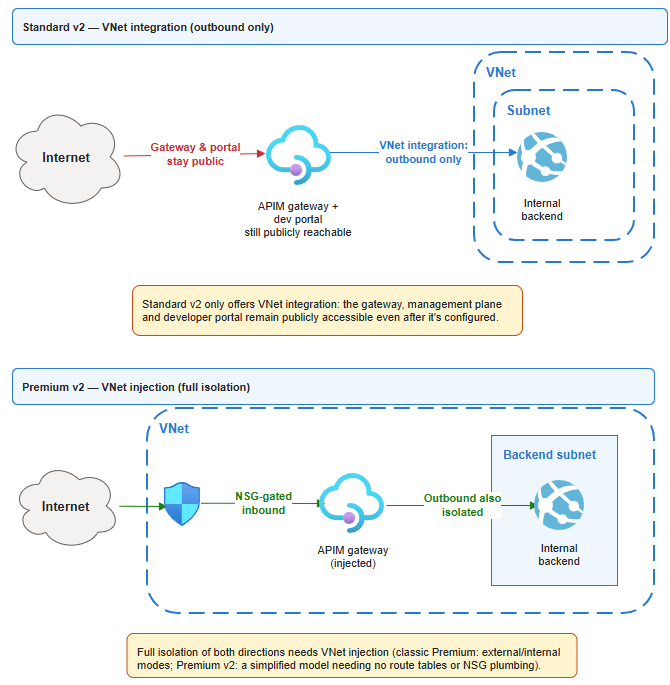
Getting the front door private needs either an inbound Private Endpoint, available across most tiers including Standard v2.
APIM Premium (Classic) adds another layer of confusion with VNet injection, which means the APIM instance is deployed directly into the APIM Delegated Subnet for full isolation.
This then gets even more confusing when you get to Premium v2: an NSG is still required on the subnet, but it collapses roughly a dozen rules (load-balancer health probes, Traffic Manager, Storage, SQL, Entra ID, Event Hub, certificate-chain hosts) down to essentially one — an outbound allow to Azure Key Vault (plus whatever your own backends need).
Logic Apps Standard
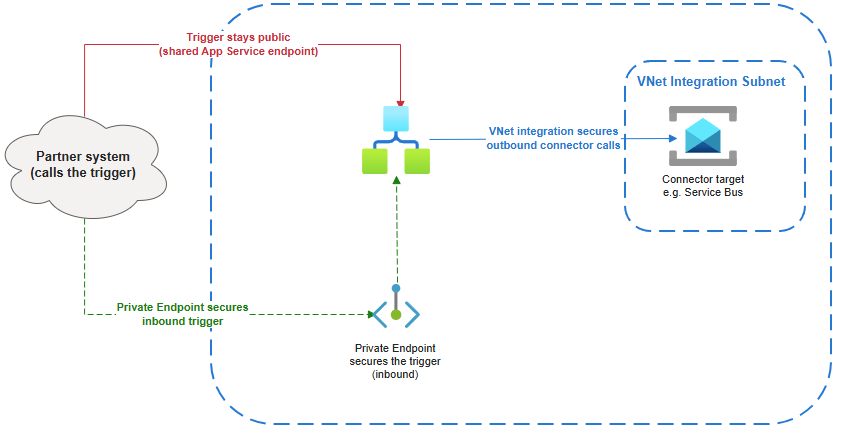
Logic Apps Standard makes the split between inbound and outbound unusually explicit, because Azure’s own documentation for it describes them as two separate features you configure separately: “Setting up virtual network integration affects only outbound traffic. To secure inbound traffic, which continues to use the App Service shared endpoint, review Set up inbound traffic through private endpoints.“
VNet integration gets a workflow’s HTTP actions and connector calls routed privately, but does nothing to the trigger endpoint a partner system calls to start the workflow: that stays on the shared public endpoint until a Private Endpoint is added. The reverse holds too, since adding a Private Endpoint for inbound doesn’t touch outbound traffic. Both are genuinely needed, configured independently, for a Logic App that’s private in both directions.
Service Bus: Off By Default and SKU-dependent
Service Bus is one of the great annoyances across the range of Azure services because private networking capabilites are only available by selecting the highest and most expensive SKU that the service offers.
Private Endpoints and VNet service endpoints both require the Premium tier; Basic and Standard namespaces can’t use either. Provisioning at Premium doesn’t switch anything off on its own, though. The publicNetworkAccess property defaults to Enabled, so the namespace answers over the internet using its access keys until someone explicitly sets it to Disabled.
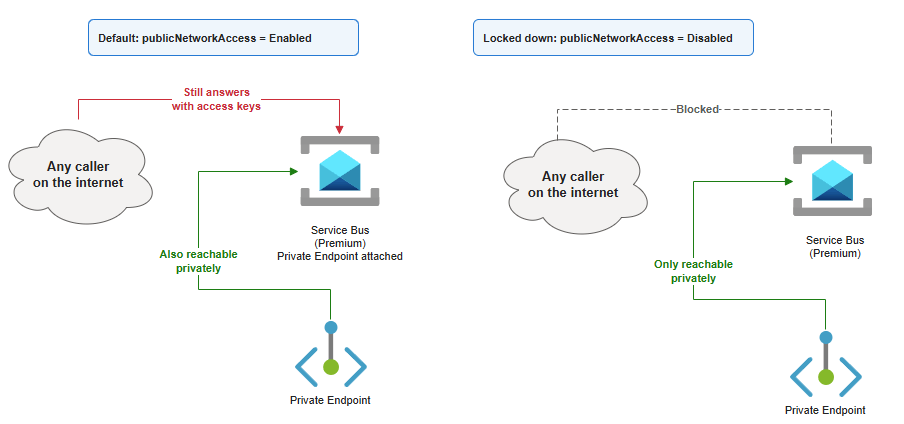
A Premium namespace with a Private Endpoint attached but publicNetworkAccess left on default isn’t privately reachable only, it’s reachable both ways, defeating the point of paying for Premium at all.
Application Gateway: Isn’t that Public?
Application Gateway flips the pattern deliberately: its job is to be the public entry point in front of things made private everywhere else, sitting between the internet and a backend pool that itself uses Private Endpoints.
The gotcha here isn’t VNet integration, it’s DNS. When the backend pool target is an App Service or API Management instance reached through its Private Endpoint, Application Gateway still needs to resolve that service’s hostname to the private endpoint IP, not the public one. Resolve to the public IP and health probes and traffic either fail outright or silently route around the private path.
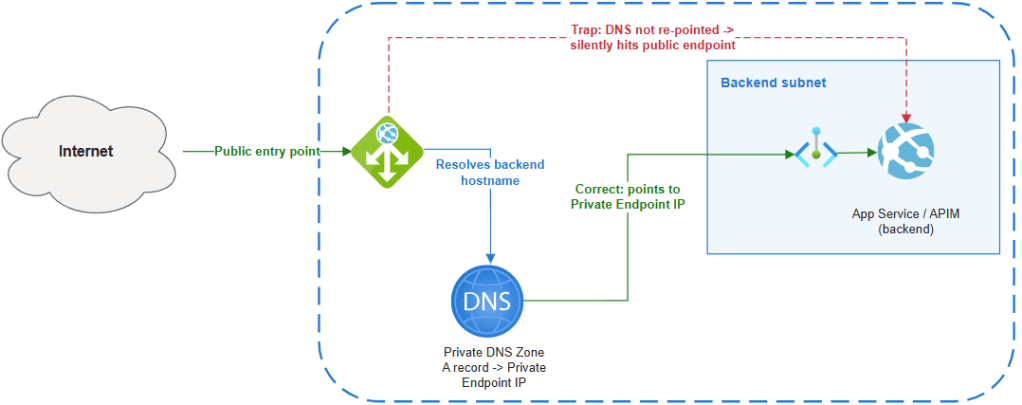
Getting this right means a Private DNS Zone linked to the gateway’s VNet with an A record pointing the service’s hostname at the Private Endpoint’s IP, checked and verified, not assumed.
Of course, confusion reigns again with Application Gateway as you have the ability to deploy a Private instance to service traffic on a private frontend IP linked to your VNET with no Public IP on the frontend. The same rules apply though, if DNS is not set up correctly, backends can be reached on their public endpoints.
Getting Outbound Traffic Back to Azure Firewall
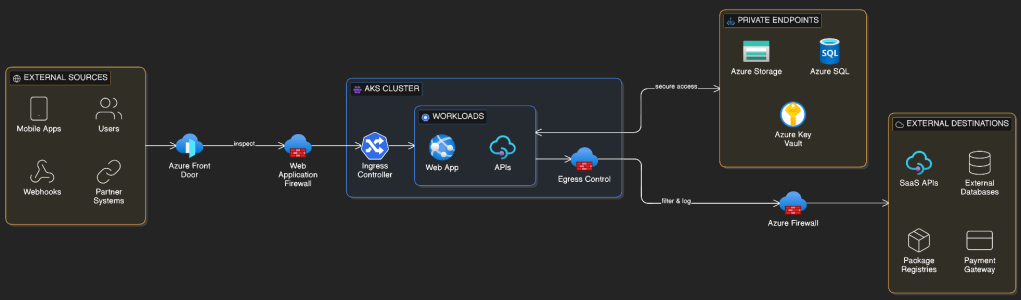
Everything above deals with whether traffic goes into or out of the VNet at all. The remaining half is making sure that once outbound traffic is in the VNet, it actually reaches the inspection point rather than routing around it.
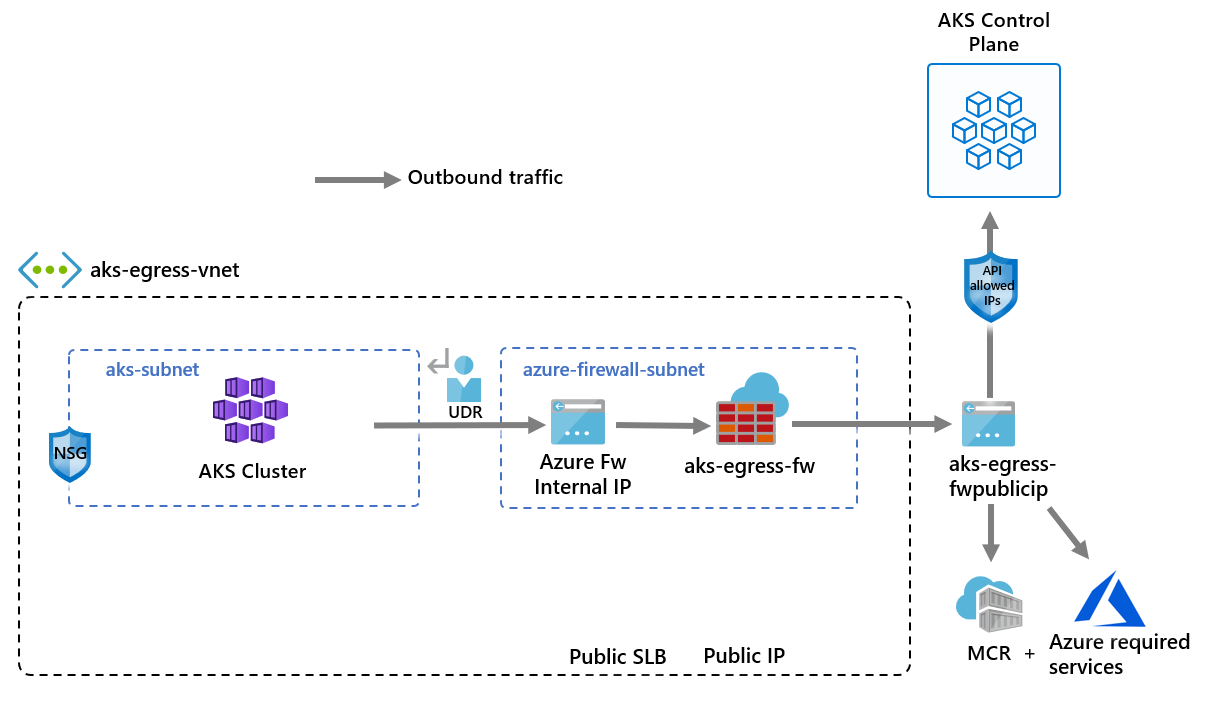
The mechanism is a User Defined Route on the integration subnet with a 0.0.0.0/0 destination and a next hop of the Azure Firewall’s private IP. For App Service and Functions specifically, this only works once Route All is also enabled, because a 0.0.0.0/0 UDR is meaningless to traffic the platform never sent into the VNet in the first place. Deploying the firewall requires a dedicated AzureFirewallSubnet of at least a /26, and forced tunneling of internet-bound traffic also needs an AzureFirewallManagementSubnet, since forced tunneling removes the firewall’s own ability to route its management traffic out the regular path.
Two things always go wrong once this is wired up. Longest prefix match wins, always: Azure injects system routes for the VNet’s own address space with a next hop of “Virtual Network” automatically, and because a route like 10.0.0.0/16 is more specific than a 0.0.0.0/0 UDR, intra-VNet traffic keeps flowing directly between subnets regardless of the default route.
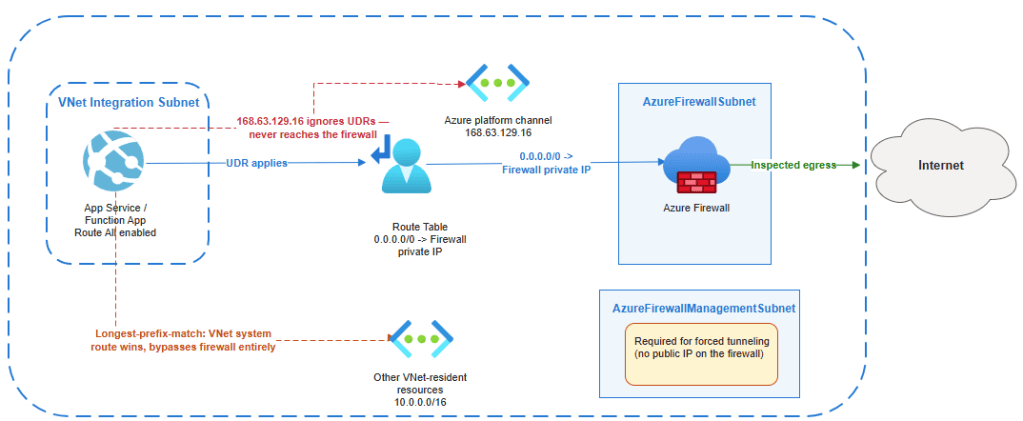
168.63.129.16 ignores your route table, and Microsoft’s documentation is explicit that it “isn’t subject to user defined routes.” It carries platform traffic (DNS resolution, VM agent heartbeats, load balancer health probes) and a 0.0.0.0/0 route to the firewall will never see it. It’s not a gap that you need to close, but it does mean “all outbound traffic goes through the firewall” is never literally true.
Inbound vs Outbound by Service
| Service | Minimum SKU | Inbound privacy | Outbound privacy |
| App Service / Functions | Basic (web apps); Premium/Elastic Premium (Functions) | Private Endpoint + disable public access | Regional VNet integration + Route All |
| API Management | Standard v2 (outbound only); Premium/Premium v2 (full isolation) | Inbound Private Endpoint, or VNet injection (Premium/Premium v2) | VNet integration (Standard v2, Premium v2) |
| Logic Apps Standard | Any Standard plan | Private Endpoint | VNet integration |
| Service Bus | Premium | Private Endpoint | Same Private Endpoint, or VNet service endpoints |
| Application Gateway | Standard_v2 / WAF_v2 | Private frontend IP (optional) | N/A, it’s the entry point |
Conclusion
The pattern across every service is the same: Azure gives you granular, composable controls, and in line with the Shared Responsibility model pushes the responsibility back on you to implement these controls in line with your own privacy and security requirements.
Deploying a service that contains VNet Integration capabilities does not mean you can call it done. VNet Integration and Network Isolation are not the same thing. In summary:
- VNet integration is a routing control for outbound calls, not a privacy control.
- Private Endpoints are the privacy control, and a separate, additional step for every service above.
- Route All and the firewall UDR are a third, independent layer deciding whether outbound traffic actually reaches the inspection point built for it.