
Top Highlights from Microsoft Ignite 2024: Key Azure Announcements

This year, Microsoft Ignite was held in Chigaco for in-person attendees as well as virtually with key sessions live streamed. As usual, the Book of News was released to show the key announcements and you can find that at this link.

From a personal standpoint, the Book of News was disappointing as at first glance there seemed to be very few key annoucements and enhancements being provided for core Azure Infrastructure and Networking.

However, there were some really great reveals that were announced at various sessions throughout Ignite, and I’ve picked out some of the ones that impressed me.

Azure Local

Azure Stack HCI is no more ….. this is now being renamed to Azure Local. Which makes a lot more sense as Azure managed appliances deployed locally but still managed from Azure via Arc.

So, its just a rename right? Wrong! The previous iteration was tied to specific hardware that had high costs. Azure Local now brings low spec and low cost options to the table. You can also use Azure Local in disconnected mode.

More info can be found in this blog post and in this YouTube video.

Azure Migrate Enhancements

Azure Migrate is product that has badly needed some improvements and enhancements given the capabilities that some of its competitors in the market offer.

The arrival of a Business case option enables customers to create a detailed comparison of the Total Cost of Ownership (TCO) for their on-premises estate versus the TCO on Azure, along with a year-on-year cash flow analysis as they transition their workloads to Azure. More details on that here.

There was also an announcement during the Ignite Session around a tool called “Azure Migrate Explore” which looked like it provides you with a ready-made Business case PPT template generator that can be used to present cases to C-level. Haven’t seen this released yet, but one to look out for.

Finally, one that may hae been missed a few months ago – given the current need for customers to migrate from VMware on-premises deployments to Azure VMware Solution (which is already built in to Azure Migrate via either Appliance or RVTools import), its good to see that there is a preview feature around a direct path from VMware to Azure Stack HCI (or Azure Local – see above). This is a step forward for customers who need to keep their workloads on-premises for things like Data Residency requirements, while also getting the power of Azure Management. More details on that one here.

Azure Network Security Perimeter

I must admit, this one confused me a little bit at first glance but makes sense now.

Network Security Perimeter allows organizations to define a logical network isolation boundary for PaaS resources (for example, Azure Storage acoount and SQL Database server) that are deployed outside your organization’s virtual networks.

So, we’re talking about services that are either deployed outside of a VNET (for whatever reason) or are using SKU’s that do not support VNET integration.

More info can be found here.

Azure Bastion Premium

This has been in preview for a while but is now GA – Azure Bastion Premium offers enhanced security features such as private connectivity and graphical recordings of virtual machines connected through Bastion.

Bastion offers enhanced security features that ensure customer virtual machines are connected securely and to monitor VMs for any anomalies that may arise.

More info can be found here.

Security Copilot integration with Azure Firewall

The intelligence of Security Copilot is being integrated with Azure Firewall, which will help analysts perform detailed investigations of the malicious traffic intercepted by the IDPS feature of their firewalls across their entire fleet using natural language questions. These capabilities were launched on the Security Copilot portal and now are being integrated even more closely with Azure Firewall.

The following capabilities can now be queried via the Copilot in Azure experience directly on the Azure portal where customers regularly interact with their Azure Firewalls: 

  • Generate recommendations to secure your environment using Azure Firewall’s IDPS feature
  • Retrieve the top IDPS signature hits for an Azure Firewall 
  • Enrich the threat profile of an IDPS signature beyond log information 
  • Look for a given IDPS signature across your tenant, subscription, or resource group 

More details on these features can be found here.

DNSSEC for Azure DNS

I was surprised by this annoucement – maybe I had assumed it was there as it had been available as an AD DNS feature for quite some time. Good to see that its made it up to Azure.

Key benefits are:

  • Enhanced Security: DNSSEC helps prevent attackers from manipulating or poisoning DNS responses, ensuring that users are directed to the correct websites. 
  • Data Integrity: By signing DNS data, DNSSEC ensures that the information received from a DNS query has not been altered in transit. 
  • Trust and Authenticity: DNSSEC provides a chain of trust from the root DNS servers down to your domain, verifying the authenticity of DNS data. 

More info on DNSSEC for Azure DNS can be found here.

Azure Confidential Clean Rooms

Some fella called Mark Russinovich was talking about this. And when that man talks, you listen.

Designed for secure multi-party data collaboration, with Confidential Clean Rooms, you can share privacy sensitive data such as personally identifiable information (PII), protected health information (PHI) and cryptographic secrets confidently, thanks to robust trust guarantees that safeguard your data throughout its lifecycle from other collaborators and from Azure operators.

This secure data sharing is powered by confidential computing, which protects data in-use by performing computations in hardware-based, attested Trusted Execution Environments (TEEs). These TEEs help prevent unauthorized access or modification of application code and data during use. 

More info can be found here.

Azure Extended Zones

Its good to see this feature going into GA and hopefully will provide a pathway for future AEZ’s in other locations.

Azure Extended Zones are small-footprint extensions of Azure placed in metros, industry centers, or a specific jurisdiction to serve low latency and data residency workloads. They support virtual machines (VMs), containers, storage, and a selected set of Azure services and can run latency-sensitive and throughput-intensive applications close to end users and within approved data residency boundaries. More details here.

.NET 9

Final one and slightly cheating here as this was announced at KubeCon the week before – .NET9 has been announced. Note that this is a STS release with an expiry of May 2026. .NET 8 is the current LTS version with an end-of-support date of November 2026 (details on lifecycles for .NET versions here).

Link to the full release announcement for .NET 9 (including a link to the KubeCon keynote) can be found here.

Conclusion

Its good to see that in the firehose of annoucements around AI and Copilot, there there are still some really good enhancements and improvements coming out for Azure services.

100 Days of Cloud – Day 99: Microsoft Build 2022

Its Day 99 of my 100 Days of Cloud journey and in todays post we’ll take a quick look at some of the announcements coming out of Microsoft Build.

Microsoft Build is an annual event that is primarily focused on the development side of the Microsoft ecosystem, however like all Microsoft events there are normally some really cool announcements around new technologies and updates to existing technologies.

I’m going to focus particularly on updates to the technologies that I’ve blogged about over the last 99 days! In effect, I’m providing some updates to the blog posts so that if you’ve followed me on the journey this far, you’ll get to here and have the latest news and features!

Azure Container Apps

Azure Container Apps is now Generally Available. This enables you to run microservices and containerized apps on a serverless platform.

Common uses of Azure Container Apps include:

  • Deploying API endpoints
  • Hosting background processing applications
  • Handling event-driven processing
  • Running microservices

Applications built on Azure Container Apps can dynamically scale based on the following characteristics:

  • HTTP traffic
  • Event-driven processing
  • CPU or memory load

We looked at Azure Container instances on Day 82. The key differences between the 2 are:

  • If you need to spin up multiple container (e.g. front end / backend / database), Azure Container Apps is a better choice as it comes with Dapr (Distributed Application Runtime) and it will auto retry the requests and add some telemetry data.
  • If you just need long running jobs or you don’t need multiple containers to communicate with each other, you can go with Azure Container Instances.

You can check out the blog post announcement here, and the offical Microsoft Docs page here for more information.

Azure Cosmos DB

We looked at Azure Cosmos DB back on Day 64 and learned that it is a fully managed NoSQL database provides high availability, globally-distributed access to data with very low latency. There are a number of APIs to choose from that best meets the needs of your database requirements.

Some of the new featres announced for CosmosDB are:

  • Increased serverless capacity to 1 TB.
  • Shared throughput across database partitions.
  • Support for hierarchical partition keys.
  • An improved 30-day free trial experience, now generally available, and support for MongoDB data in the Azure Cosmos DB Linux desktop emulator.
  • A new, free, continuous backup and point-in-time restore capability enables seven-day data recovery and restoration from accidental deletes
  • Role-based access control support for Azure Cosmos DB API for MongoDB offers enhanced security.

You can find out more about the Cosmos DB enhancements here.

Azure Stack HCI

Its timely that we only looked at Azure Stack HCI on Day 95 and commented that your Azure Stack HCI Cluster can contain between 2 and 16 physical servers.

The new single node Azure Stack HCI, now generally available, fulfills the growing needs of customers in remote locations while maintaining the innovation of native integration with Azure Arc. It offers customers the flexibility to deploy the stack in smaller spaces and with less processing needs, optimizing resources while still delivering quality and consistency.

Additional benefits include:

  • Smaller Azure Stack HCI solutions for environments with physical space constraints or that do not require built-in resiliency, like retail stores and branch offices.
  • A smaller footprint to reduce hardware and operational costs.
  • The same scale applies, so you can start at 1 and scale up to 16 nodes if required.

You can find out more about the AZure Stack HCI announcement here.

Azure Migrate

On Day 18 we looked at Azure Migrate, which is an Azure technology which automates planning and migration of your on-premise servers from Hyper-V, VMware or Physical Server environments.

Enhancements to the service now streamline and simlify cloud migration and modernization:

  • Agentless discovery and grouping of dependent Hyper-V virtual machines (VMs) and physical servers to ensure all required components are identified and included during a move to Azure. This feature is generally available.
  • Azure SQL assessment improvements for better customer experience. Assessments now include recommendations for SQL Server on Azure VMs and support for Hyper-V VMs and physical stacks, along with already existing assessments for Azure SQL Managed Instance and Azure SQL Database. This feature is in preview.
  • Pause and resume of migration function has been included to provide control over the migration window. This mechanism can be used to schedule migrations during off-peak periods. This feature is in preview.
  • Discovery, assessment and modernization of ASP.NET web apps to native Azure Application Service. Customers can discover and modernize an ASP.NET web app to Azure Kubernetes Service (AKS) Application Service Container and discover Java apps running on Apache Tomcat.

Conclusion

So thats a quick rundown of the main updates from Microsoft Build. You can find information on all of the updates that were released here in the Microsoft Build Book of News, and its also not too late to register and watch some of the recorded and on-demand sessions from Microsoft Build by signing up here.

As with all Microsoft Conferences, there’s a CloudSkills Challenge and you have until June 21st to sign up and complete the modules from one of the 8 challenges are available. As always, you can earn a free certification exam pass if you complete the challenge! You can sign up here and the list of rules and exams eligible is here!

Hope you enjoyed this post, until next time!

100 Days of Cloud — Day 18: Azure Migrate

Its Day 18 of my 100 Days of Cloud journey. Yesterday, I attended an Azure Immersion Workshop on Azure Migrate hosted by Insight UK.

Azure Immersion Workshops are a great way to get hand-on access to Azure Technologies in a Sandbox environment with full instructor support. You require a business email address, or an address linked to an active Azure Subscription in order to avail of the full lab experience.

If you simply type “Azure Immersion Workshop” into a Google Search, you will find a list of Microsoft Partners that are running Azure Immersion Workshops in the coming months. This is a full day course, but is well worthwhile if you don’t have or don’t want to use your own on-premise resources to learn the technology.

Azure Migrate Overview

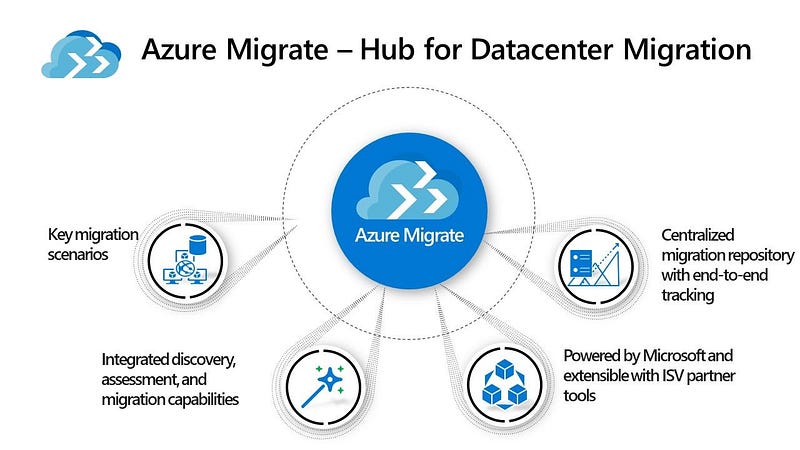
Azure Migrate is an Azure technology which automates planning and migration of your on-premise servers from Hyper-V, VMware or Physical Server environments.

Azure Migrate is broken into the following sections:

  • Discover — this uses a lightweight VM appliance that can be run on a VM or a Physical server in your on-premise infrastructure. This appliance runs the discovery of VMs and Physical Servers in your environment. Discovery is agentless, so nothing is installed on servers in your environment.
  • Assessment — once the discovery is completed, you can then run an assessment based on this. The assessment will make recommendations for the target Azure VM size based on what was discovered. This useful to know if you have over/under provisioned resources in your environment, as the assessment will size them correctly based on demand and workloads. Because of this, it is better to run the discovery at normal business hours to get a full overview of your environment.
  • Migrate — this is the point where you can discover the VMs you want to migrate. The first step is to replicate them to Azure on a Test Migration to ensure everything is working as expected. Azure will also flag any issues that have been detected on VMs so that you can remediate. Once this is completed and you are happy that everything is in place, you can run a full VM Migration.
  • Containerize — You can also use Azure Migrate to containerize Java web apps and ASP.NET apps that are running on premise and migrate these to either Azure Kubernetes Service (AKS) or Azure App Services.

Azure Migrate also integrates with a number of ISV’s (Independent Software Vendors) such as Carbonite, Lakeside, UnifyCloud and Zerto to offer additional support for assessment and migration of servers.

There are 2 great benefits to using Azure Migrate.

  • Firstly, the first 30 days of Discover is free so you have time to plan multiple different scenarios in your migration journey.
  • Secondly, this also integrates with the TCO (Total Cost of Ownership) Calculator to give a full cost breakdown of what hosting in Azure will cost to your organization.

The full description of Azure Migrate and all of its offerings and services can be found here at Microsoft Docs. And as I said above, the best way to get the full experience is to find a local partner that’s running an Azure Immersion Workshop in your area of time zone.

Hope you enjoyed this post, until next time!!